
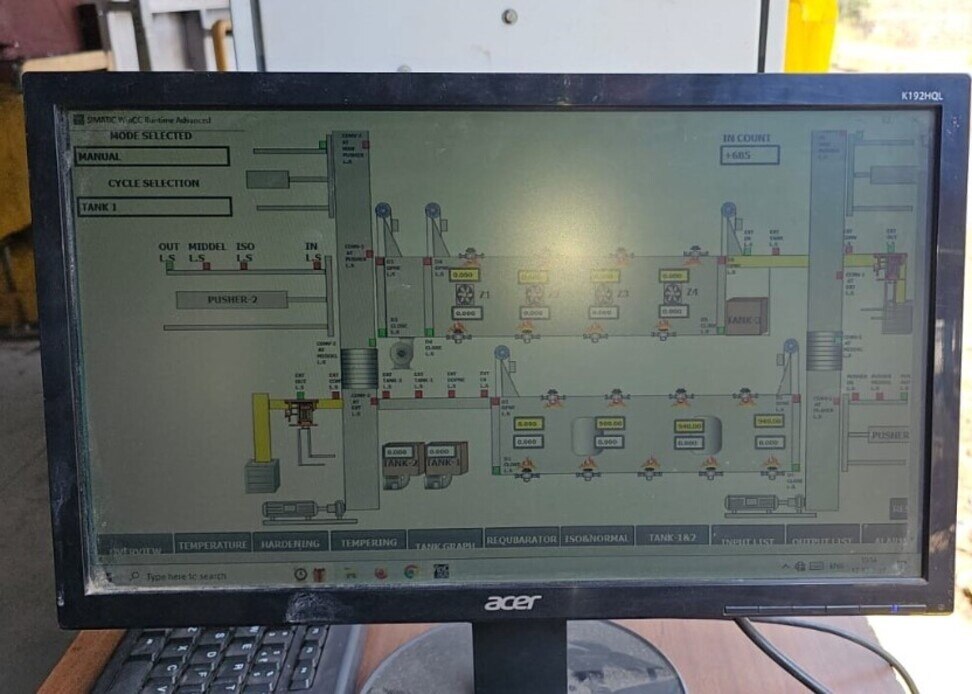
A machine can have a PLC, HMI, servo drive and SCADA workstation yet still fail because each device uses a different data model, protocol or control responsibility. By the end, you will be able to trace a command from the operator screen to the servo motor, choose a suitable communication architecture, define reliable tags and verify the system during commissioning.
Key takeaways
- The PLC checks permissives before sending a motion command to the servo drive.
- Match PLC, servo, HMI and SCADA models to the same communication protocol.
- Build a tag map with fixed names, data types, scaling and alarm states.
- Commission each device separately before testing complete machine sequences.
What Each Delta Device Does in the Control Architecture
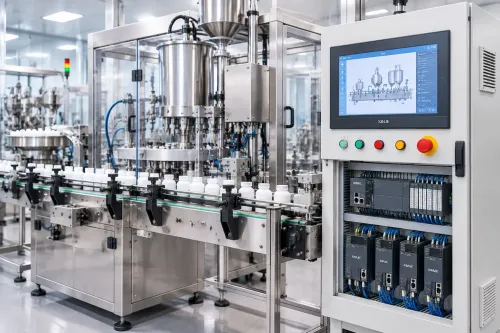
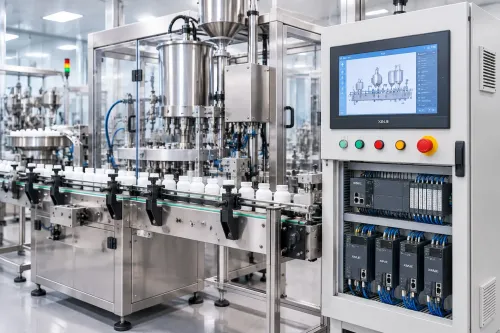
The Delta PLC owns sequence logic: it checks permissives, runs automatic and manual states, issues motion commands, and records validated machine tags. The servo drive handles the fast current, velocity and position loops, then returns status words, alarms and feedback to the PLC.
| Device | Control responsibility | Data exchanged |
|---|---|---|
| Delta PLC | Executes sequence logic, interlocks, timing and machine-state decisions | I/O states, commands, permissives, servo commands and validated registers |
| Delta HMI | Provides local start, stop, jog, recipe and alarm screens | HMI variables read from PLC tags; operator writes limited to authorised PLC commands |
| Delta servo drive | Controls motor torque, speed and position using its configured command interface | Command pulses or network data; encoder feedback, torque, following error, temperature and drive status |
| SCADA workstation | Provides supervisory monitoring, alarms, trends, reports and historian functions | Reads PLC tags through its communication driver and sends approved supervisory writes |
In a Delta HMI servo SCADA arrangement, SCADA normally reads the PLC rather than polling every drive parameter. Copy selected drive values into PLC registers at a controlled rate; use a drive diagnostic tool or dedicated historian for high-frequency waveforms. SCADA is not the motion controller or safety system.
Emergency stops, guard switches and safe torque removal require a safety relay or safety PLC with an appropriately rated STO function, validated against the risk assessment.
Good delta automation system integration also preserves clear ownership: the HMI requests, the PLC decides, the drive moves and SCADA reports. With a delta plc hmi servo scada design, hand over backups, versions, drawings, tag maps, drive parameters, alarm definitions and restore instructions so maintenance does not depend on reverse-engineering.
How a Start Command Becomes Servo Motion
A start command travels through a defined path: the operator presses Start on the Delta HMI, which writes a command bit or request tag to the PLC. The PLC—not SCADA—decides whether motion may begin.
- The PLC checks permissives such as Home complete, correct mode, material present and no active fault.
- It confirms the safety circuit permits operation; an emergency stop or guard fault must remove the drive enable through a safety-rated circuit, not only a PLC bit.
- The PLC sends a motion command to the servo drive through pulse train, analog reference or a supported network such as EtherCAT.
- The servo drive closes its motion loops and uses encoder feedback to control the motor’s position and speed.
- Drive status returns to the PLC, including ready, running, alarm, in-position and following-error states.
The PLC stops or inhibits the sequence when feedback disagrees with the command, a limit is reached or a drive alarm appears. The Delta HMI then shows the state and gives the operator a controlled reset or recovery action.
SCADA normally reads validated PLC tags through its communication driver rather than polling every servo parameter. The PLC can copy selected drive values into registers for alarms, trends, cycle counts and production reports; high-frequency waveform capture belongs in a diagnostic tool or historian.
This keeps the delta hmi servo scada data path useful without making SCADA the motion or safety controller.
How to Choose the Network and Compatible Components
Start with the machine’s axis count, cycle time, torque and data rate, then verify each part against the others. A DVP PLC may suit sequence logic and Modbus RTU over RS-485, while EtherCAT motion requires a compatible CPU or communication module, servo drive, firmware and cyclic-data configuration.
Do not select a protocol from the motor nameplate alone.
| Option | Best fit | Check before purchase |
|---|---|---|
| Pulse train | One or a few axes with fixed point-to-point motion | Pulse polarity, command mode, pulses per revolution and maximum output frequency |
| Modbus RTU/TCP | Register-based control, diagnostics and moderate data exchange | PLC port, drive register map, baud rate or Ethernet addressing, and SCADA driver support |
| CANopen | Coordinated drives on a CAN bus | Node IDs, EDS files, PDO mapping and bus termination |
| EtherCAT | Synchronized multi-axis motion and high update rates | Exact PLC and ASDA series support, cyclic mapping, synchronization and watchdog response |
Select the servo motor and drive from continuous and peak torque, speed, inertia ratio, braking needs and required feedback device. Select the HMI from screen size, recipe volume, alarm history and operator access; select SCADA from tag count, historian storage, reporting and supported drivers.
SCADA supervises motion; it does not replace the PLC or safety system.
For maintainable delta automation system integration, require backups, firmware versions, drawings, IP tables, tag maps, servo parameters, alarm dictionary, passwords, restore instructions and change records. A delta plc programming service then starts from documented files rather than reverse-engineering. Confirm the safety relay or safety PLC and drive STO separately against the risk assessment.
How to Build a Tag Map That Keeps Data Reliable
Use one canonical tag name in the PLC, then expose that name to the HMI and SCADA through documented aliases. A delta plc hmi servo scada integration in Bengaluru becomes unreliable when “Start,” “Run,” or “Fault” exists with different meanings in three software projects.
1. Define namespaces such as Machine01.Cmd.Start, Machine01.Sts.Running, Axis01.Cmd.Move and Axis01.Sts.Fault. Mark every tag as command, status, setpoint, feedback, alarm or diagnostic, and assign one owner: the PLC owns sequence decisions; the servo owns drive status; the HMI and SCADA display values.
2. Map servo status words bit by bit. Record the word address, bit number, meaning, reset condition and data type for ServoReady, InPosition, Warning and Fault. Document Modbus slave ID, function code, zero-based or one-based addressing, 16-bit word order, signed values, 32-bit layouts and engineering-unit scaling.
3. Let SCADA read validated PLC tags rather than polling every servo parameter. Copy torque, following error and temperature into PLC registers at a controlled rate; add a timestamp, heartbeat and quality flag. A timeout or failed heartbeat must mark values stale and block misleading trends.
4. Permit writes only to PLC command tags. Require operator permission, correct mode, safety permissives and a command-acknowledge handshake before the PLC acts; keep emergency-stop and guard functions in a safety-rated circuit, not ordinary HMI bits.
The delta hmi servo scada tag map should include revision, source address, destination name, units, scaling, read/write access and alarm limits. Include it with software backups, network tables and restore instructions so future changes do not require reverse-engineering.
How to Commission and Validate the Integrated Machine
Handover is justified only after a witnessed FAT/SAT matrix proves that each command, fault and recovery path works across the PLC, HMI, servo drive and SCADA workstation—not merely that the automatic cycle runs.
1. Isolate power and verify every terminal against the electrical drawing. Check digital and analogue I/O, 24 VDC polarity, shielding, earth continuity, encoder wiring, motor phases, network ports and device IP addresses. Record each tested point and its PLC tag.
2. Home the axis, jog in both directions and test software travel limits, speed limits, torque faults, encoder feedback and position tolerance. Confirm that the PLC rejects motion without permissives and that the HMI displays the same state words and values as the drive.
3. Trip the emergency stop, guard switch and safety relay. Verify removal of drive STO and motion energy, then confirm that a reset does not restart the machine. A standard PLC interlock is not a substitute for a safety-rated circuit validated against the risk assessment.
4. Unplug the PLC-to-HMI and PLC-to-SCADA links, stop the drive, interrupt a cycle and restore power. Confirm diagnostic alarms, event timestamps, acknowledgement rules, retained recipe values and controlled recovery.
5. Run good and rejected parts through automatic and manual modes. Compare produced, accepted, rejected, cycle-time and downtime totals between PLC tags, HMI screens and SCADA reports.
The handover pack must include backups, firmware and software versions, drawings, IP and register tables, servo parameters, alarm dictionary, passwords, restore instructions and change history. A delta automation provider in Bengaluru such as IkodeAutomation |08048033508 can use this evidence to make a future delta PLC programming service maintainable rather than reverse-engineered.
Related products
 | Component Sales and Services Delta Industrial Automation Ikodeautomation is one of the best Delta Industrial Automation solution providers, offering Delta PLC, HMI, Servo, SCADA, AC Drives and complete... View product → |
 | Industrial Automation Solutions & System Integration Industrial Automation Component Sales Reliable Automation Components. Trusted Industrial Solutions.Ikodeautomation is one of the leading industrial automation component sellers and... View product → |
Frequently asked questions
What does each Delta device do in an integrated machine?
The Delta PLC runs sequence logic and validates machine states, the servo drive runs current, velocity and position loops, the HMI provides operator controls and screens, and SCADA stores, displays and supervises production data.
How does a PLC start command become servo motion?
The PLC checks permissives, selects the operating mode, sends a motion command and target parameters, then monitors drive status, feedback and alarms before confirming the move.
How do you choose a network for Delta PLC, HMI, servo and SCADA integration?
Choose a protocol supported by every required device, then verify connector type, baud rate or Ethernet settings, addressing, update time, register access and available diagnostic tools.
What should a reliable SCADA tag map contain?
Define each tag's name, source address, data type, engineering units, scaling, read/write permission, quality state, alarm limits and fallback value.
How do you commission an integrated Delta automation system?
Test wiring and device communication first, then verify I/O, homing, limits, permissives, single-axis motion, fault recovery, automatic sequences, HMI commands and SCADA records.
Related products
 | Industrial Automation Solutions & System Integration HMI Programming Services Ikodeautomation is one of the best HMI programming and industrial automation solution providers, offering professional HMI development and PLC-HMI... View product → |
 | Industrial Automation Solutions & System Integration PLC Integration & Industrial SCADA SCADA Development Services Industrial SCADA Solutions by Ikodeautomation is one of the leading choices for SCADA development and industrial automation solutions, providing... View product → |
 | Industrial Automation Solutions & System Integration PLC Programming Services Professional PLC Programming & Automation Solutions - Ikode Automation is one of the best PLC programming and industrial automation solution... View product → |